For iOS · If TestFlight isn’t installed, install it first. Then return here and tap this button again to install Cecilia.
Example screens · Illustrative cycle data
Make room for understanding.
Your cycle is more than a date on a calendar. Record what you notice. See the patterns. Get a daily view grounded in your cycle history and the signs you log.
A starting point for today.
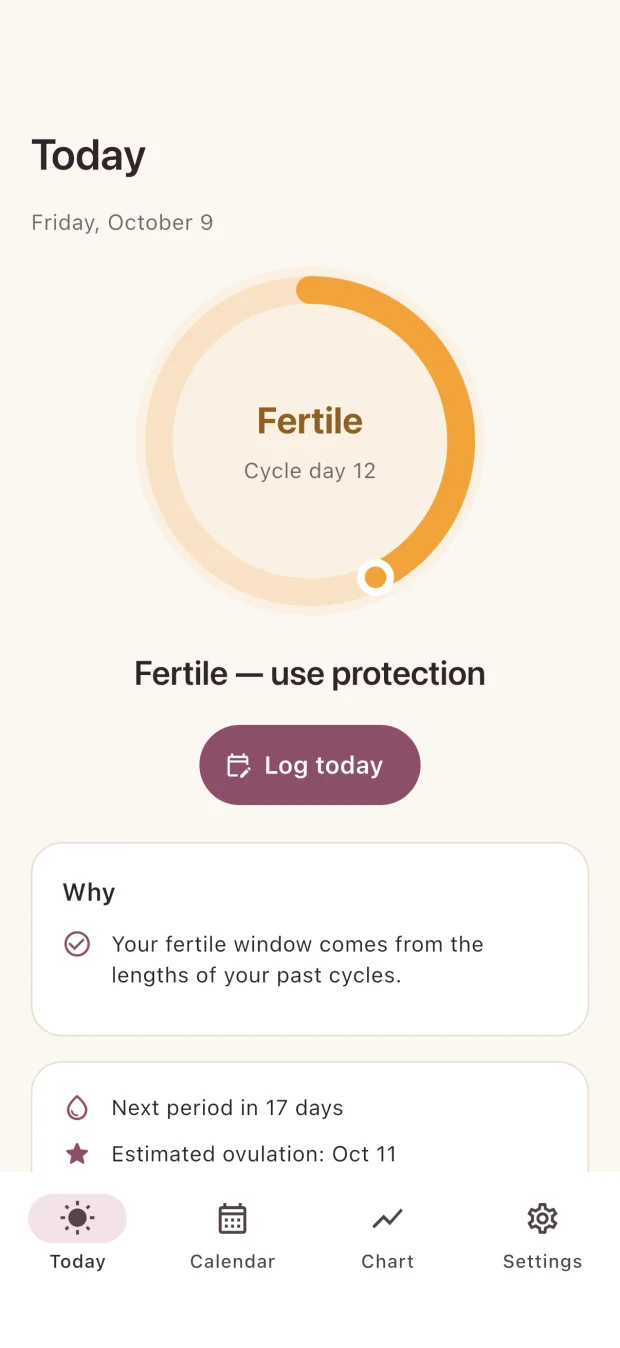
See your daily fertility status, the reasons behind it, and your cycle day. Your outlook brings together your estimated ovulation, fertile window, and next period, with confidence and warnings when relevant.
Keep your observations together: period dates, basal body temperature, cervical mucus, ovulation test results, intercourse, and notes.
Example screens · Illustrative cycle data
See the days in context.
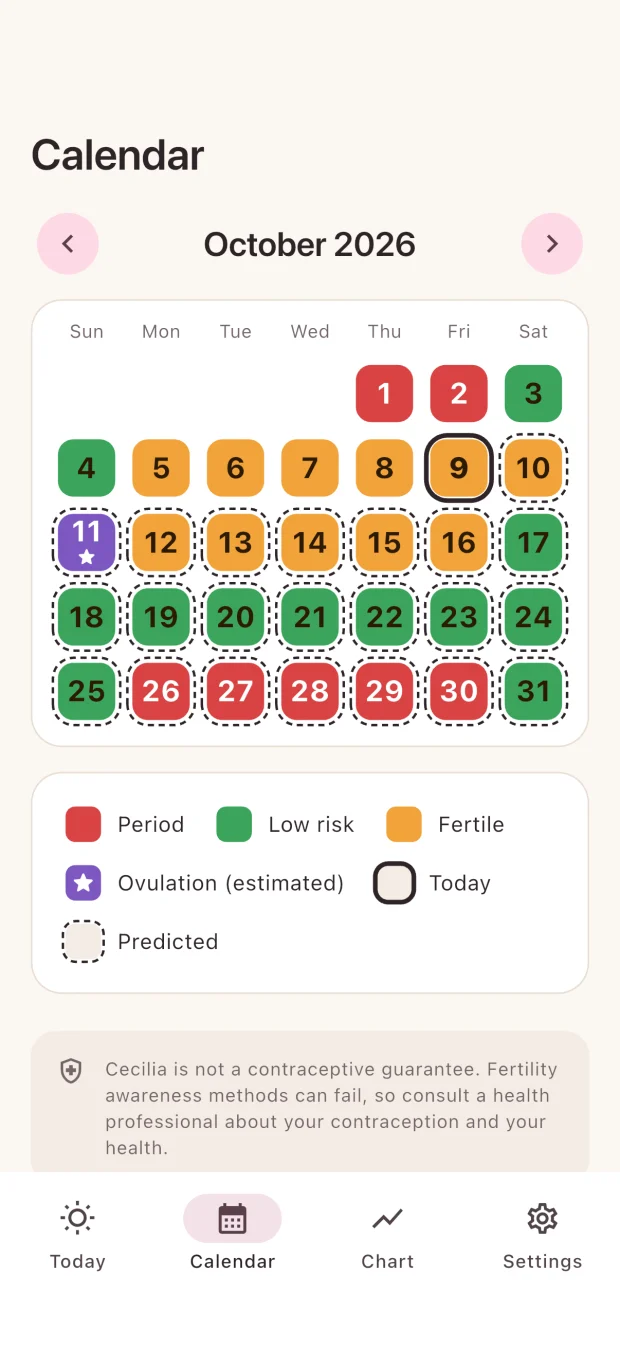
Explore your cycle in a color-coded calendar. Recorded and predicted days are clearly marked, and you can return to an earlier day to add or edit your observations.
Example screens · Illustrative cycle data
Follow your temperature pattern.
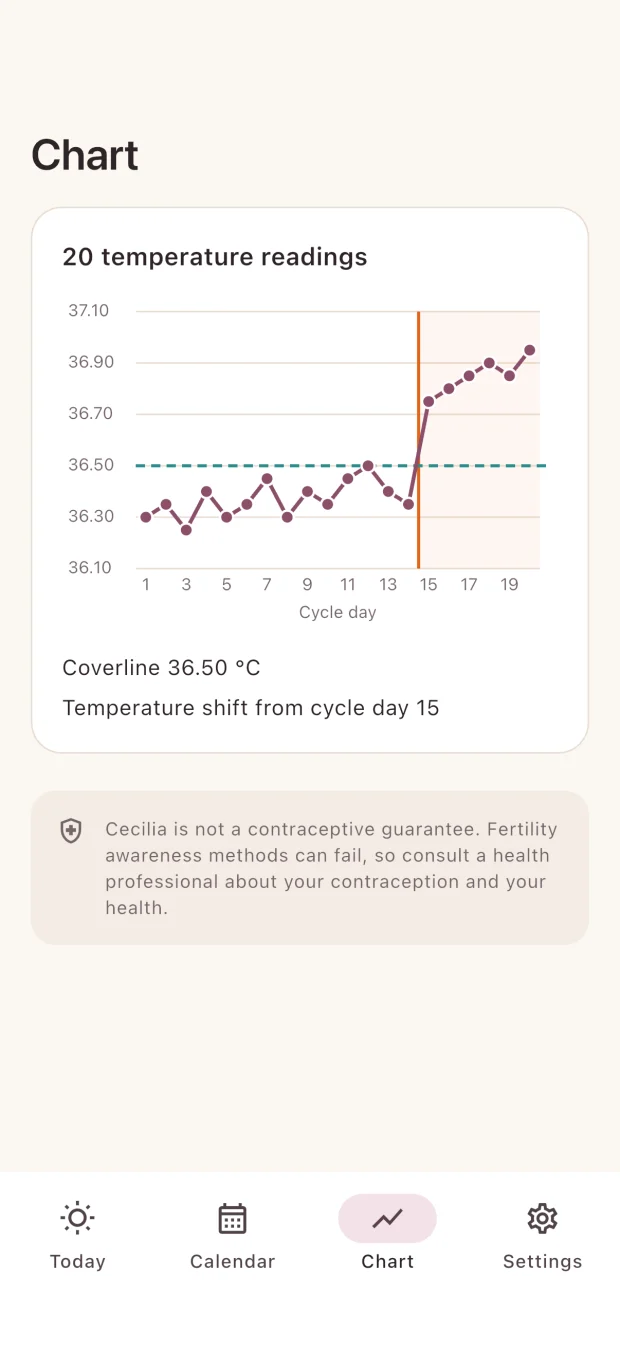
View your basal body temperature across the current cycle, together with a coverline and temperature shift when the app identifies them. Choose Celsius or Fahrenheit in Settings.
Example screens · Illustrative cycle data
Two methods. One place to understand them.
Choose the approach you use in Settings. Cecilia explains the daily status and shows when more information is needed.
Calendar method
Uses your cycle history and typical cycle length to estimate your fertile window. Predictions are estimates, and cycle variability matters.
Symptothermal method
Combines cycle timing with cervical mucus and temperature signs. It waits for both the temperature shift and mucus peak rules before confirming the post-ovulation phase.
Get to know Cecilia.
The iOS open beta is ready for you to explore. Join through Apple TestFlight and start with your own cycle.
Tap “Join the open beta” and install TestFlight if prompted.
After installing TestFlight, return to this page and tap “Join the open beta” again to install Cecilia.
Sign in, set up your profile, and start recording your signs.
This is a beta version. Features and the experience may change as the app develops.
A few things to know.
What is Cecilia for?
Cecilia helps you record your menstrual cycle and body signs and understand a daily fertility forecast. It brings daily guidance, a calendar, and temperature charts into one app.
Do I need to track my temperature?
The calendar method uses cycle timing. The symptothermal method also uses temperature and cervical mucus signs to confirm the post-ovulation phase. You can choose and change your method in Settings.
Can I change my records and language?
Yes. You can add, edit, or clear observations for today and past days. Cecilia supports English, Spanish, and Brazilian Portuguese, and lets you change your language and temperature unit in Settings.
Does Cecilia guarantee contraception?
No. Fertility awareness methods can fail, and forecasts depend on the information available. Consult a health professional about contraception and your health.
 Cecilia